
Deep Signal License Manager — Activation Guide
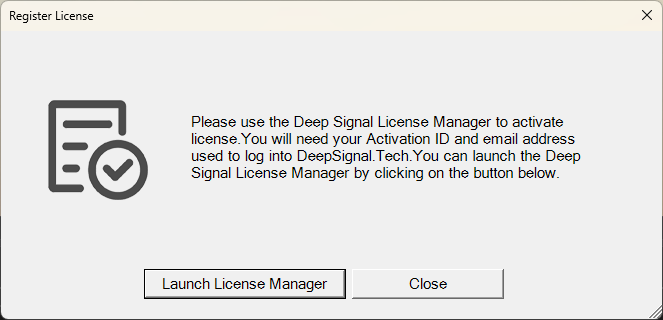
When you first run NinjaTrader with a Deep Signal product installed, you may see a Register License dialog prompting you to activate your license.
If the dialog doesn’t appear automatically, try adding the indicator to a chart or creating a model with the Deep Signal Library — this will also open the registration window. Alternatively, you can launch the License Manager manually from the Windows Start Menu under: Deep Signal Tech → License Manager.
The License Manager will also allow you to deactivate your license on one computer and activate it on another computer.
Step 1 — Register License
If the product automatically launched the Register License dialog, then click on Launch License Manager to open the Deep Signal License Manager.
Step 2 — Open the License Manager
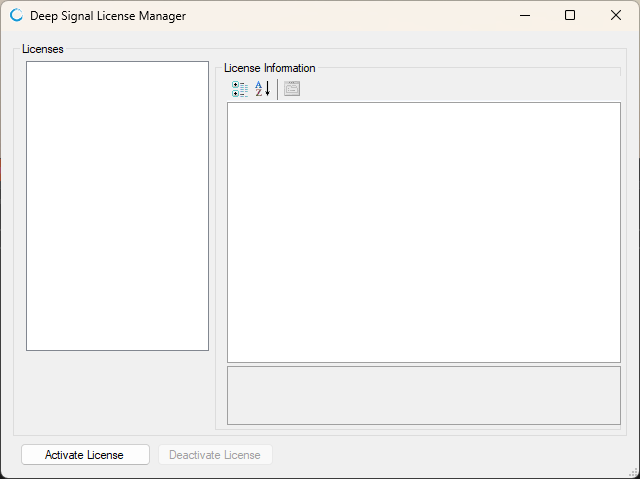
The License Manager will show your currently installed licenses (if any) and a panel for license information.
To activate a new license, click Activate License in the lower-left corner.
Step 3 — Activate Your License
In the Activate License dialog, enter the following information:
- Activation ID — provided in your purchase email
- Email — the same email address used to log into DeepSignal.Tech
- Computer Name (optional) — helpful if you use multiple machines. You can deactivate and move licenses between computers at any time, so naming each one helps track where your license is installed.
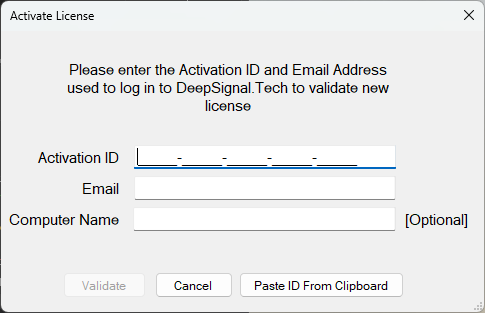
Click Validate to complete activation.
Step 4 — License Validation
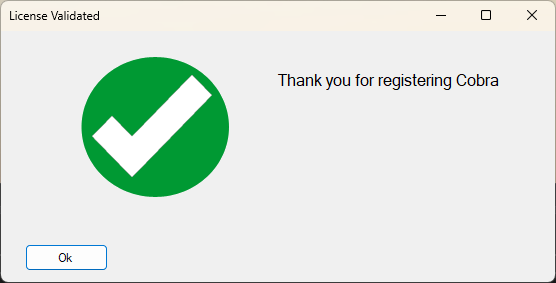
Once your license is successfully validated, you’ll see a confirmation message.
Deactivating a License
In order to deactivate a license and be able to use it on another computer, you just need to select your license in the License list and click on Deactivate License. You'll need to enter the Email Address used to log into DeepSignal.Tech and click on Deactivate License.
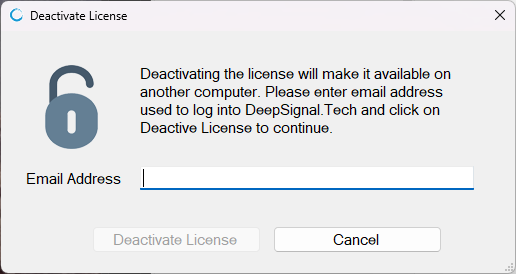
Once deactivated, the license can be used on another computer. You'll need to follow the same steps as above to activate your license on your new computer.
Troubleshooting
- Activation failed? Double-check that your Activation ID and Email match exactly what’s shown in your DeepSignal.Tech account.
- Network errors? Ensure that your internet connection is active and that your firewall allows outbound connections for the License Manager.
- Reinstalling or switching computers? Open the License Manager, select your license, and click Deactivate License before reinstalling or activating on a new system.
Futures, foreign currency and options trading contains substantial risk and is not for every investor. An investor could potentially lose all or more than the initial investment. Risk capital is money that can be lost without jeopardizing ones financial security or lifestyle. Only risk capital should be used for trading and only those with sufficient risk capital should consider trading. Past performance is not necessarily indicative of future results.