
Deep Signal Cobra Features
Changing Long and Short Threshold Lines
The Deep Signal Cobra indicator is an advanced trend reversal detection indicator for NinjaTrader 8.x, 64 bit. It provides a numeric value that will oscillate from positive to negative. The higher the positive value, the more likely the trend will reverse long. Similarly the more negative the value the more likely the trend will reverse to the short side.
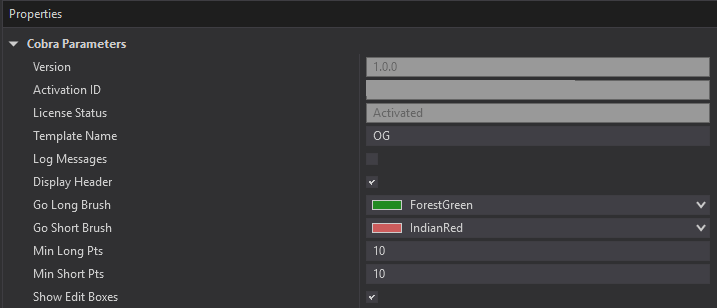
The default for the long threshold and short threshold lines are +10 and -10. They are adjustable in the Properties dialog for Cobra by changing the Min Long Pts or Min Short Pts fields.
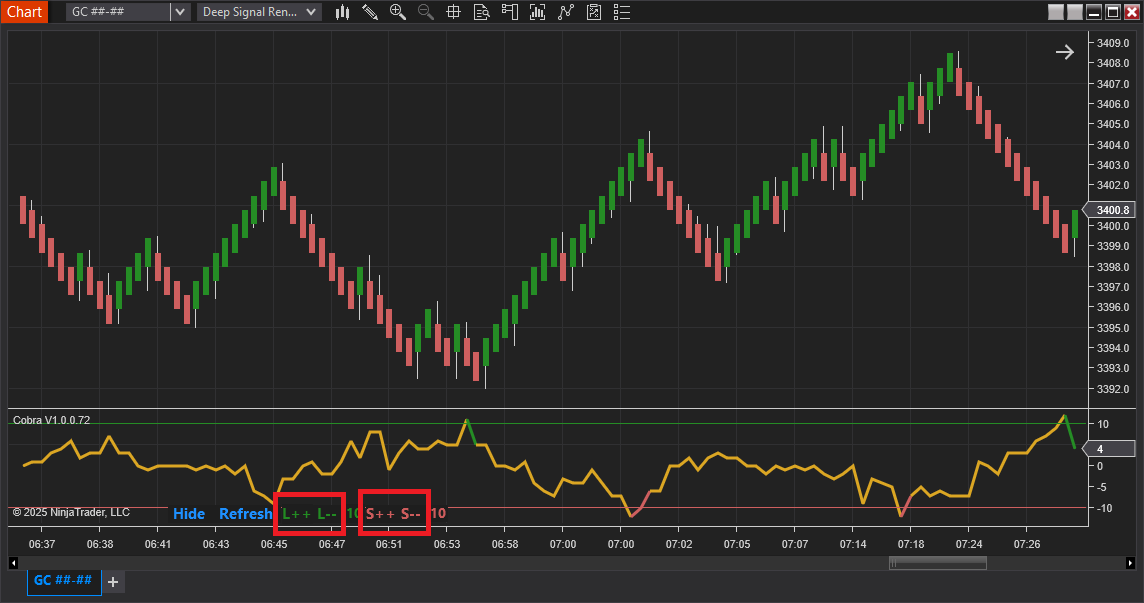
They are also adjustable by clicking on the indicator in the chart on the L++/L-- for increasing or decreasing the Long Points threshold or clicking on S++/S-- for increasing or decreasing the Short Points threshold. After clicking on the buttons on the chart, click on Refresh to refresh the view and update the threshold lines.
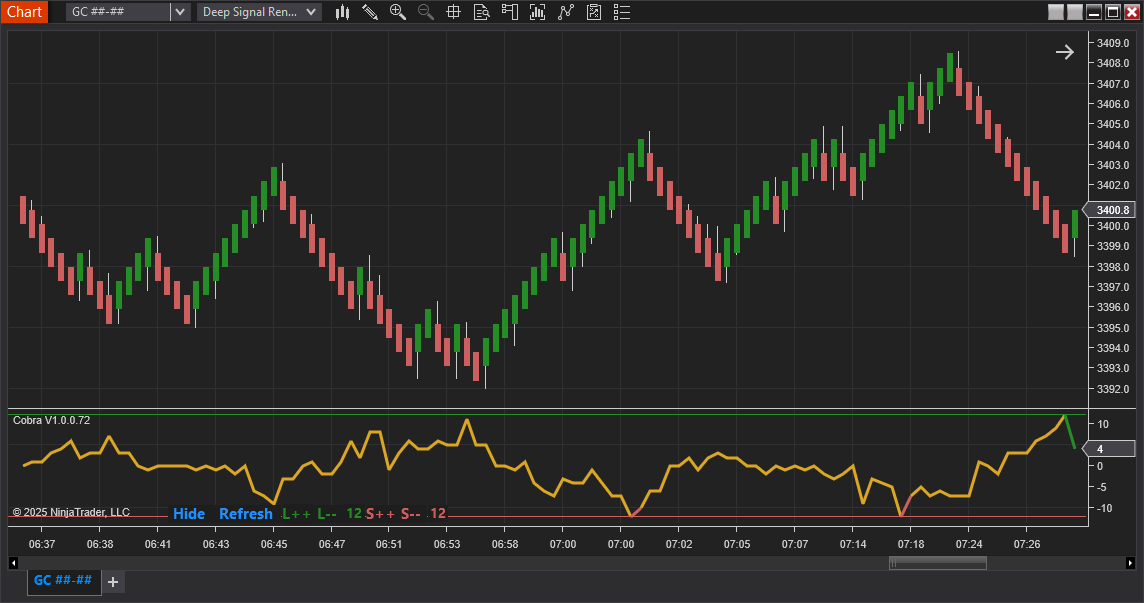
Here is an example of the same chart but changing the Long Points Threshold to 12 and Short Points Threshold to -12. Please note that the values for the short threshold will always be positive, but show as negative in the chart.
The purpose of changing the long and short threshold values is to help find values that fit your charts for good trade entries. You'll need to experiment and try different values that fit your trading style and instruments.
Clicking on the Hide button will hide the Refresh and threshold buttons.
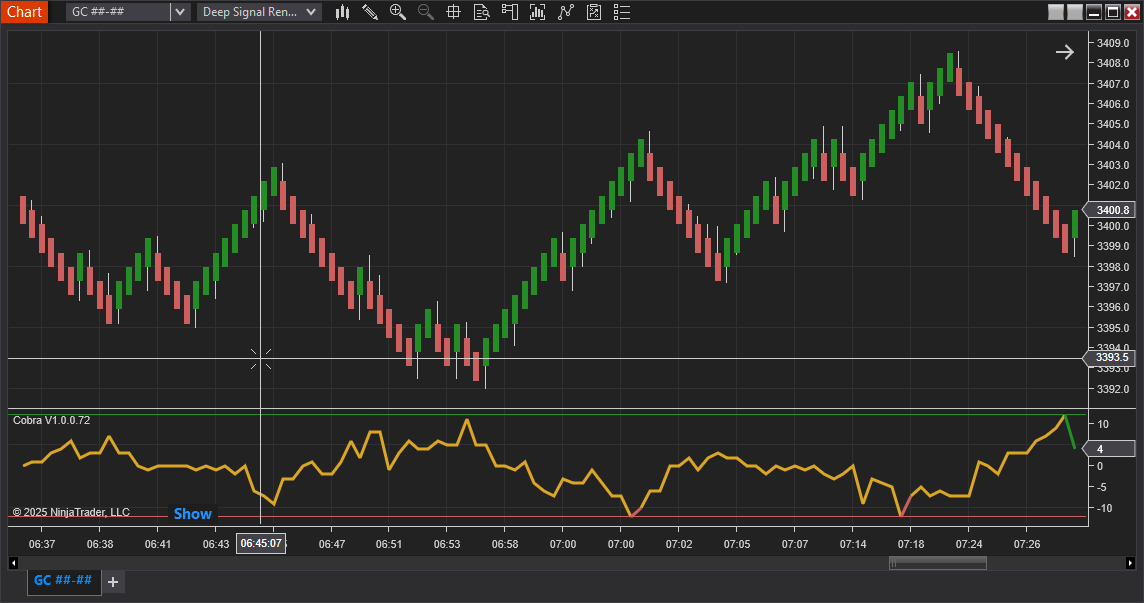
Click on Show to display the buttons again.
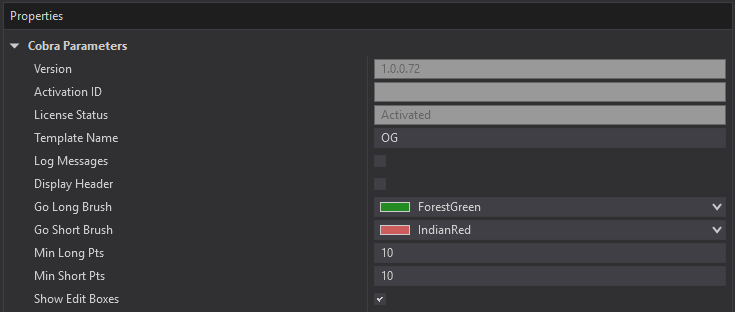
If you want to completely hide all of the edit buttons you can uncheck the Show Edit Boxes checkbox in the Properties dialog for Cobra.
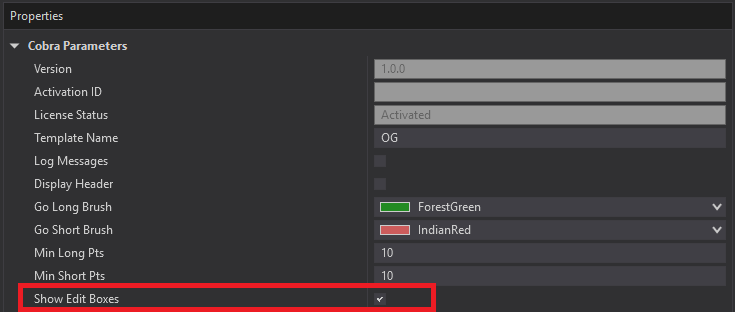
Here is an example of a chart without the Edit Boxes shown.
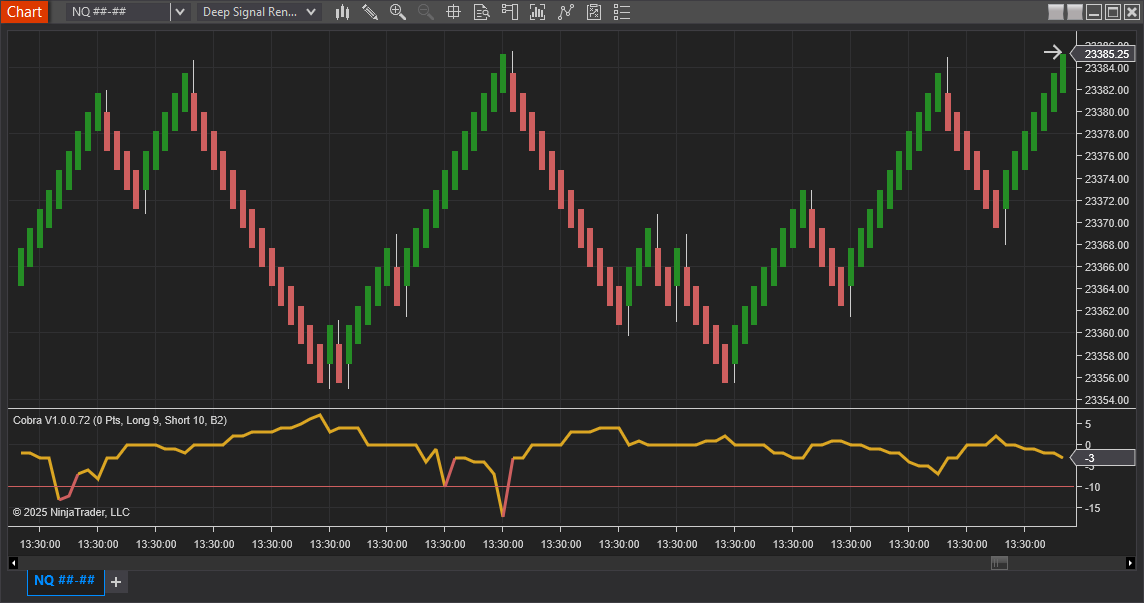
Changing Templates
There are currently two different templates the user can select from that changes the underlying point system of Cobra. More will be added a later time, but please try each one to see how it looks on your chart.
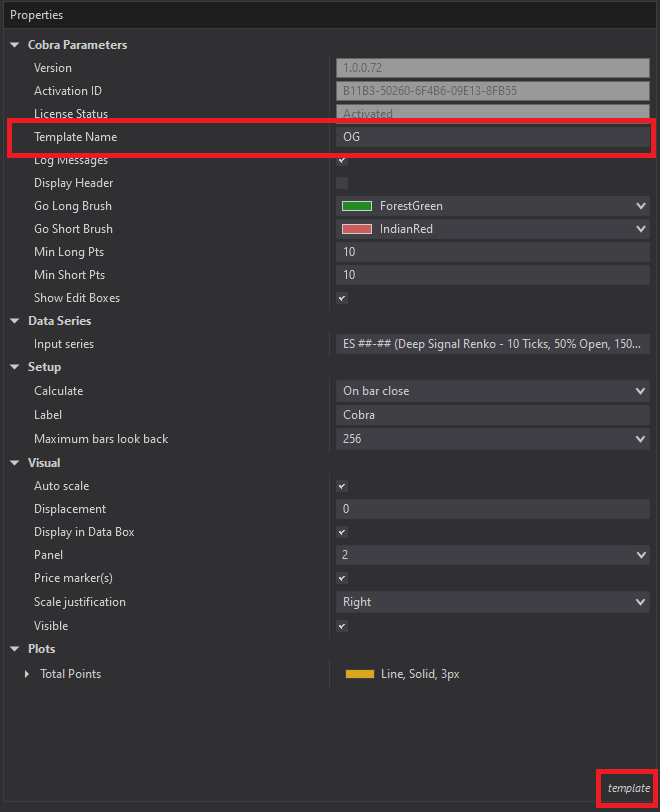
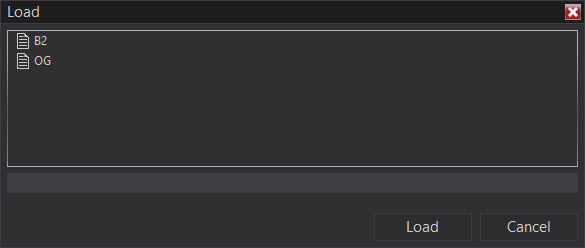
The current template below is set for OG, but you can change it by clicking on the template button at the bottom of the screen and selecting load.
Display Header
The text in the upper left side of the indicator window can display just the indicator name and version or the indicator name along with current points and the long and short threshold amounts. Click on the Display Header checkbox in the Properties dialog to change this behavior.
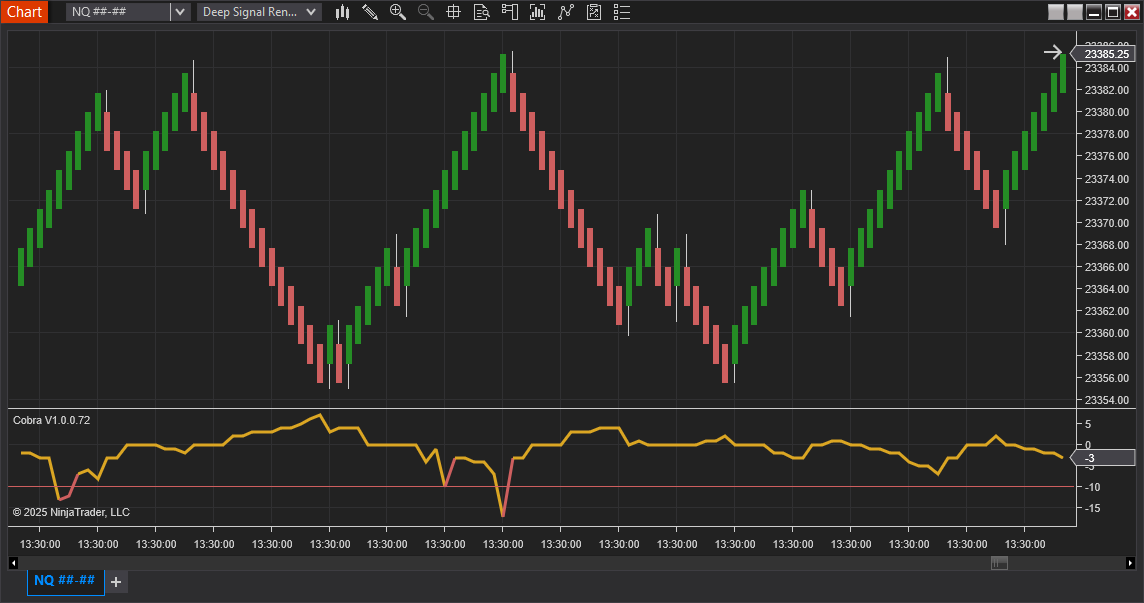
Here is an example with Display header unchecked and only showing the Cobra version number.
Futures, foreign currency and options trading contains substantial risk and is not for every investor. An investor could potentially lose all or more than the initial investment. Risk capital is money that can be lost without jeopardizing ones financial security or lifestyle. Only risk capital should be used for trading and only those with sufficient risk capital should consider trading. Past performance is not necessarily indicative of future results.