
Welcome to the Deep Signal Falcon Installation Guide. Here are the steps to install Deep Signal Falcon.
Installation Steps
- Download the Deep Signal AI Indicators Installer from www.deepsignal.tech. For help downloading the installer please click on Downloading Installer.
- Please shut down NinjaTrader. This is needed to insure proper installation
- Double click on the DeepSignalAIIndicatorsInstaller.exe. When the dialog comes up and asks "Do you want to allow this app to make changes to your device?", please click on Yes. Please note the Verified publisher should be Deep Signal Technologies LLC. All of Deep Signal's files are digitally signed including the installation file.
- This will bring up the Deep Signal AI Indicators Installation dialog
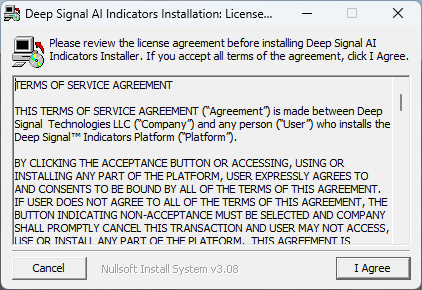
- If you agree with the Terms of Service Agreement, click on I Agree. Next it will allow the user to change the Destination Folder for Deep Signal Falcon.
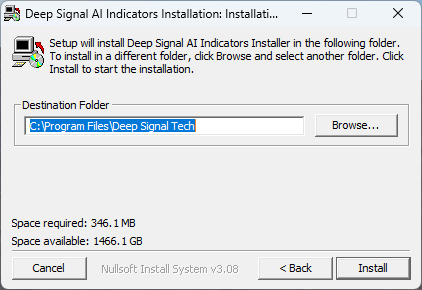
- Unless needed, please click on Install to install Deep Signal Falcon in the default folder. Once the installation is done, it will show the Installation Completed dialog.
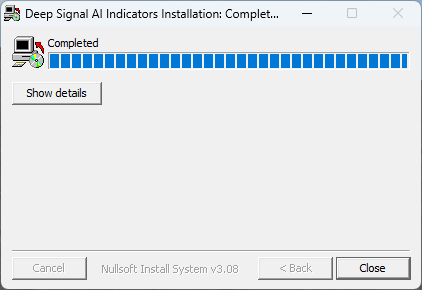
Now you can activate your product license using the License Manager or start NinjaTrader. If you run NinjaTrader you may get a dialog for registering your license. If you don't get the Register License at this step you should be able to try and add the Deep Signal Falcon indicator to a chart and you will see the dialog for registering your license.
Please see the License Manager section on how to activate Deep Signal Falcon before starting NinjaTrader.
Futures, foreign currency and options trading contains substantial risk and is not for every investor. An investor could potentially lose all or more than the initial investment. Risk capital is money that can be lost without jeopardizing ones financial security or lifestyle. Only risk capital should be used for trading and only those with sufficient risk capital should consider trading. Past performance is not necessarily indicative of future results.